How to Find Missing Ecommerce Category Pages
Much category-page SEO advice starts too late. It tells you to improve title tags, add helpful copy, clean up schema, and write better meta descriptions. That work helps, but only once the right pages exist.
If a store has one broad “Tents” page while shoppers search for backpacking tents, ultralight tents and 4-season tents, the title tag may not be the main problem. The catalog may be missing destination pages.
The category hierarchy comes first, because it decides which product groups can become useful landing pages and which products stay buried inside a broad listing. This is the research process for finding those gaps. The implementation side is a separate guide.
Broad Product Searches Often Surface Category Pages
We reviewed the top five organic results for 379 commercial product keywords across six US retail sectors. The outdoor and camping subset was 61 keywords, or 305 organic positions, and it showed the largest gap in the study between category pages and individual product pages.
Individual product pages took 3 percent. That is the number worth sitting with, because product pages are where most stores put their effort.
This does not mean a category page should replace a product page. It means a broad comparison search usually wants a page where someone can evaluate a set before choosing one, and a store with no such page is not competing for it. The verticals disagreed sharply, so read your own before planning from ours: home fitness inverted the pattern, with editorial content taking 47 percent.
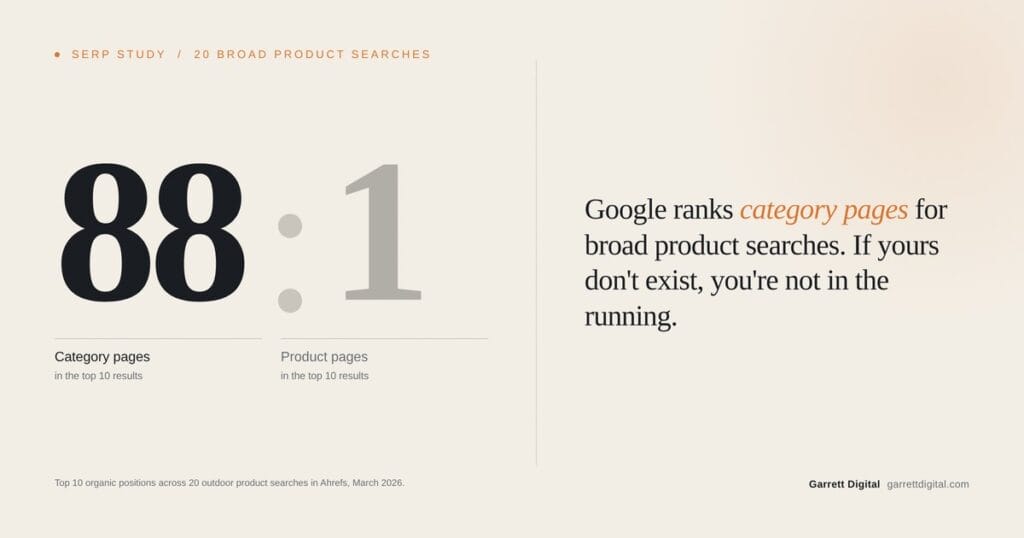
A smaller March 2026 sample pointed the same way. Across 200 top-ten organic positions for 20 broad outdoor searches, we identified 88 category or listing pages and one individual product page. The remaining 111 positions were not classified in that exercise, so 88 to 1 is a ratio between two page types rather than a picture of the whole results page.
Categories Built for Inventory Rather Than Shoppers
Business categories help a team manage products. They follow the supplier list, the buying calendar, the warehouse, or whatever the previous platform exported. None of that is how a customer describes what they want.
The mismatch is easiest to see at the edges. A store that surfaces tents mainly by manufacturer serves a shopper who already knows the brand better than one starting from a use case. Someone planning a weekend backpacking trip may search by use, packed weight, capacity or season rating, and if the catalog offers no path for those distinctions, the structure does not match the task.
Find the Gap Between Demand and Structure
Finding missing pages means comparing what people search against what the catalog offers. Several sources answer different halves of that.
| Source | What it can show |
|---|---|
| Search Console | Queries Google already associates with the current category and product pages |
| Site search | Product types and attributes shoppers cannot reach through navigation |
| Google Ads search terms | Commercial language the store may already be paying for |
| Keyword tools | Additional modifiers and clusters, useful for validating rather than deciding |
| Site crawl | Which category, subcategory and filter URLs already exist |
| Merchandising data | Product depth, inventory stability and whether a group is large enough to hold a page |
The useful finding is never that a phrase has volume. It is that shoppers search a distinction in Google, use the same distinction inside the store, and meet a catalog that gives it no path.
Research One Category Before Changing the Catalog
Take one broad category with enough products to be awkward to browse. Do not start by redesigning the navigation. The worked example below uses a /tents/ category and asks whether backpacking, 4-season, family camping or ultralight tents deserve maintained subcategory pages.
Start by describing the category as it exists. Record the URL, the real product count, how many listing pages that produces at your page size, which subcategories already exist, which filters are available, and which products you can only reach by filtering. Product count alone is not a reason to split anything. A 200-product category can be fine if shoppers narrow it quickly, and a 40-product category can need splitting when the products serve different needs.
Then read the queries the parent page already collects. In Search Console, open Performance, set six months, switch to the Pages tab, select the parent category URL, then switch to Queries. What you are looking for is any query describing a use case, a feature, a shopper type or a compatibility need that has no page of its own.
| Query on the parent page | What it might mean |
|---|---|
| backpacking tents | A subcategory the catalog is missing |
| ultralight tent | A subcategory, or a curated landing page if inventory is thin |
| four season tent | A distinct category when the use case and inventory both differ |
| tent under $200 | Usually a filter, since the set changes with pricing and stock |
| tent size chart | A content need rather than a category |
| tent poles replacement | Possibly a missing parts category, or a support page |
Search Console shows what Google already associates with the page. It does not decide the structure on its own, which is why the next two steps exist.
Check what shoppers do on the site. Internal site search is direct evidence of the language shoppers use inside the store. Zero-result searches, repeated reformulations, and searches followed by no product click are the strongest signals that the existing path may not be working. Filter usage shows which narrowing needs recur, product-card clicks show which subtypes people open from a broad listing, and recurring service questions about fit or compatibility usually name a distinction the catalog should carry.
Then look at the live results. Search each candidate in a clean session and log what ranks. If listings and collections fill the page, a category may match. If Shopping results and marketplace listings dominate, the query has commercial product-listing intent, which does not settle the architecture on its own: inventory stability, how distinct the products are, and the filter experience you already have decide whether it earns a maintained page. Do not build a page because a keyword tool suggested one. Build it when the results, the inventory and shopper behavior point at the same group.
In this example, estimated demand spreads across several tent subtypes rather than concentrating in one term.
Estimated
Four tent subtypes carried roughly 7,700 US searches a month between them at keyword difficulty 3 to 21: pop up tents at 4,700, backpacking tents at 1,600, and ultralight tents and 4-season tents at 700 each.
Decide Between a Subcategory, a Filter, and Nothing
A page earns maintenance when the shopper distinction is stable, the inventory can support a useful comparison, and the page gives someone more than a temporary filter state would. Most candidates are not close calls once the evidence sits in one place.
| When the evidence shows | Choose |
|---|---|
| A stable need, enough relevant products, distinct comparison criteria, search demand, and somewhere to link it from | A maintained subcategory or curated landing page |
| A useful narrowing state, but inventory turns over quickly or the combination is very specific | A filter |
| Few relevant products, no real demand, or no distinct shopper decision | No new page yet |
| A need the existing category already serves, with a weak product mix or unclear naming | Improve the category that exists |
| An informational question rather than a buying one | A buying guide, comparison or support page |
Write the Decision Down
A recommendation nobody can implement is a note. Write each decision as a brief that names the URL, the parent, what qualifies a product for inclusion, and how it will be measured.
Implementation brief
CANDIDATE  Ultralight tents
DECISION   Create a maintained subcategory

WHY
- Parent category already collects
  impressions for ultralight queries
- Site search shows the phrase recurring
- Inventory is deep enough for a useful
  comparison set
- Live results are mostly listings and
  collections, not product pages
- Buyers compare on packed weight,
  capacity, season rating, pole type

BUILD
- URL          /tents/ultralight/
- Parent       /tents/
- Inclusion    under the documented
               packed-weight threshold
- Filters      capacity, season rating,
               price, brand, packed weight
- Cards        show packed weight and
               capacity
- Links from   parent category,
               backpacking tents,
               the buying guide

MEASURE
- Impressions, clicks and queries
  for the new URL
- Product-card clicks
- Zero-result site searches
- Filter use
- Session-level add-to-cart rate
  after a category landing

REVIEW
- Inventory reviewed  August 12, 2026
- Review again        90 days after launch
Track the candidates together rather than one at a time, because the decisions interact. A sheet with these columns is enough: candidate group, current URL, Search Console signal, site-search signal, relevant product count, what ranks now, whether a filter already covers it, the decision, an owner, and a review date.
Give Subcategories a Route Through the Site
A subcategory that nothing links to is a page you have to remember. Google recommends that e-commerce pages stay reachable through crawlable internal links, running from menus to categories, then to subcategories, then to the products themselves. Use ordinary <a href> elements rather than JavaScript click events attached to other elements.
Not every subcategory belongs in the main menu, and that is fine. It can be linked from its parent category, from related categories, from buying guides, and from an HTML sitemap. What it cannot be is orphaned from ordinary crawlable links.
Lateral links between related categories help shoppers continue a task and help crawlers find relevant pages. Hiking boots to trekking poles is a useful link because someone buying one often needs the other. Link laterally where the relationship is real, rather than to accumulate links.
Review the Change Against a Baseline
Structural changes take time to read, because search engines have to find the new paths and shoppers have to start using them. Record where things stood before the change, then watch the same measures rather than waiting for a ranking to move.
Impressions, clicks and queries on the new subcategory and its parent. Product-card clicks from the category. Site-search terms that still point at a missing path. Filter combinations returning nothing. Whether representative products can still be reached through category paths without a highly specific filter combination. And where analytics supports it, add to cart after a category landing.
Different pages respond at different speeds, and a new subcategory can reach the first page while its parent barely moves. That is normal, because each page faces different competition and starts with different history behind it.
How the Outdoor Sample Was Classified
The distribution above comes from the top five organic results for 379 commercial product keywords across six US sectors, pulled through DataForSEO on March 28, 2026, on desktop, from a US location, with no logged-in account or search history. Each result was classified as a category page, a product page, a blog or editorial page, or other, where other covers brand homepages, forum threads and marketplace listings. Featured snippets were tracked separately rather than counted as an organic position.
The earlier 20-query sample shown in the data card classified only category and listing pages against product pages, and left the remaining positions uncounted. That is why it appears as corroboration rather than evidence, and why the card states the case more strongly than a two-type count can support.
Both are directional samples rather than universal findings. Query mix, product type, location, device, brand strength and result features all change which page type appears, which is the argument for running the check on your own catalog. The full method and per-sector breakdown sit with the study.